Updates that back up first and roll back on their own.
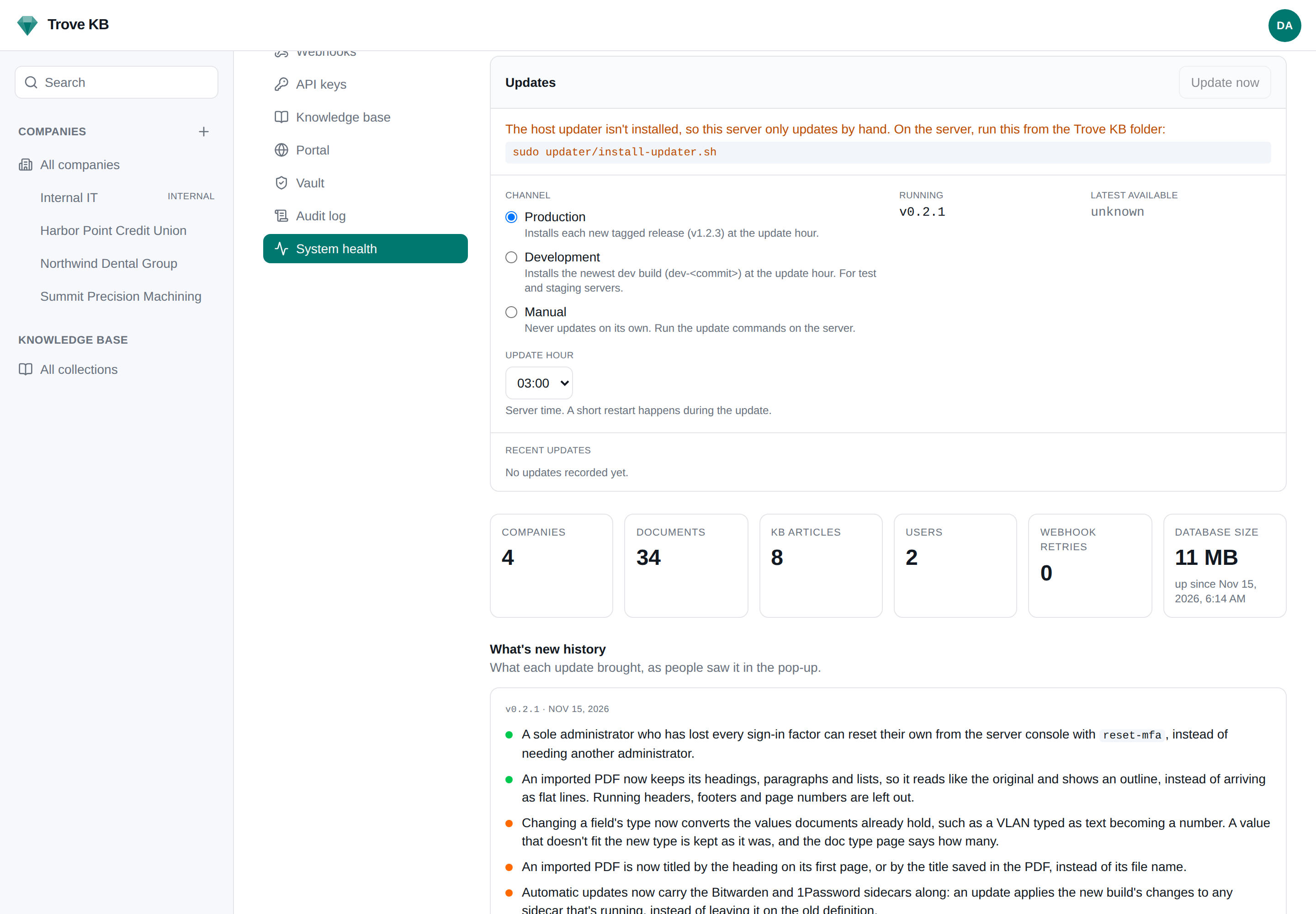
Self-hosted should not mean a Saturday spent upgrading. Pick a channel and an hour under Admin → System health. A small updater on the host dumps the database, installs the new build, waits for it to answer, and puts the old one back if it does not. Afterwards, everyone sees what changed.
Choose how much you want to think about it.
Each new tagged release, at the update hour. For the server people rely on.
The newest build of the dev branch, at the update hour. For test and staging servers, which run every commit before a release contains it.
Nothing on its own. The default. System health still shows what is available, and one command installs it with the same backup and rollback.
The update hour is server time, 03:00 unless you change it. Update now skips the wait; the updater checks every ten minutes. Administrators see the changes the next update brings before it installs.
Five steps, every time.
- 01
Back up
Dumps the database into backups/, gzipped. The newest seven pre-update dumps are kept.
- 02
Deploy
On Docker, pins the image tag and restarts the stack. On bare metal, builds the release beside the running one and switches to it in one step.
- 03
Wait for it
Waits for the app to answer as the new build, five minutes by default.
- 04
Roll back if it doesn't
Puts the previous build back and records Rolled back with the reason. The dump stays. A failed build is not retried every ten minutes; it waits for a newer one or for Update now.
- 05
Report
Tells System health what happened. Every update, rollback, failure, and change of channel is in the audit log too.
# Docker: run once, as the checkout's owner
sudo updater/install-updater.sh

# Bare metal: Node 22, git, PostgreSQL, pg_dump
sudo /opt/trove-kb/updater/install-updater.sh --mode bare-metal --user trove

# Manual server, or one particular build now
updater/trove-kb-update.sh --install v0.2.1
Everyone hears what changed, once.
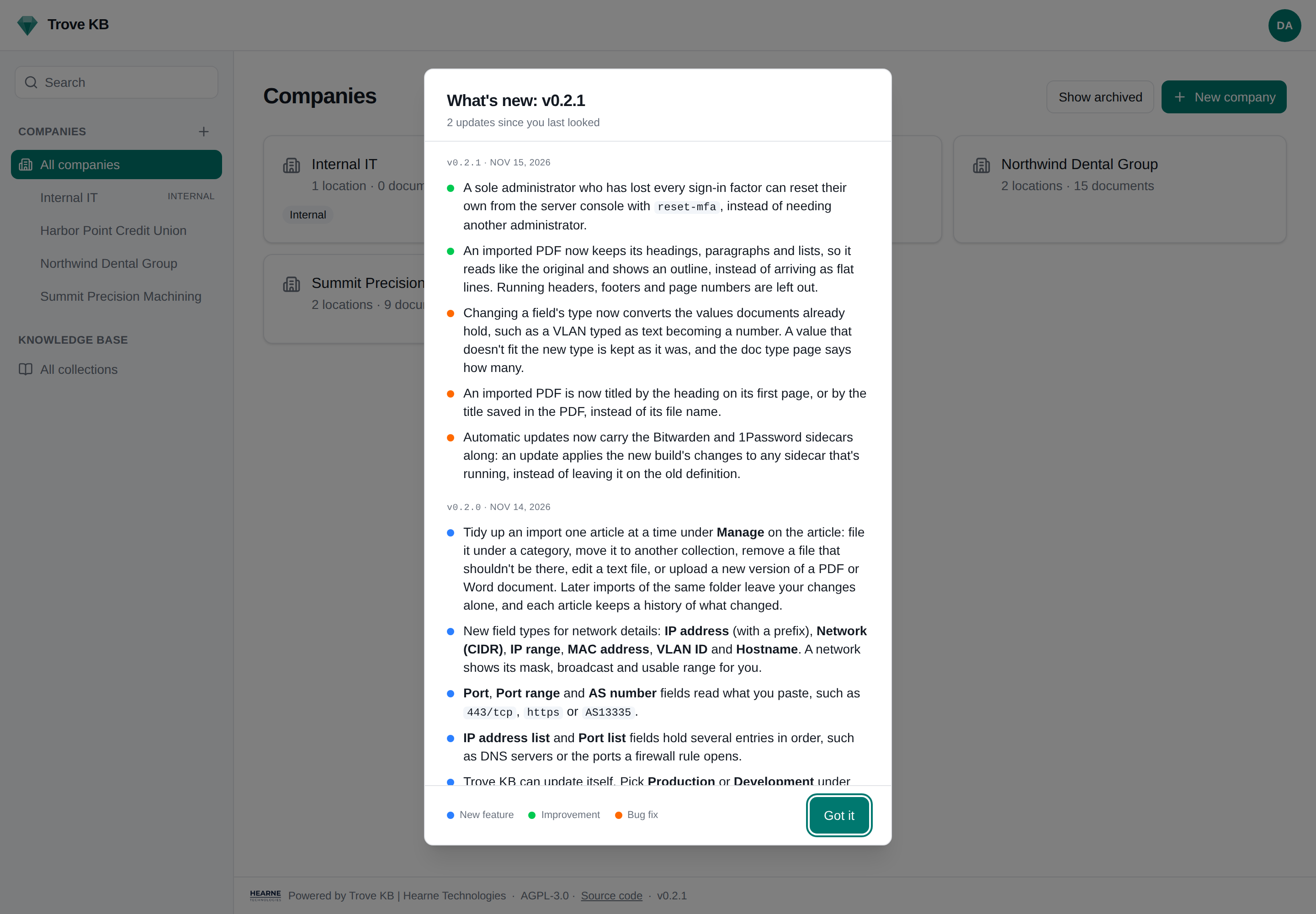
After an update, a What's new window lists the changes: new features in blue, improvements in green, fixes in orange. Each is one short note written for the people using Trove KB, not a commit log. Administrators see every entry; technicians and readers see only the ones written for them, and no window at all when there are none. Someone who missed several updates sees them together.
System health keeps the history, so the notes are still there after the window is closed.
Careful by construction.
- →The app never updates itself. It has no Docker, git, or systemd access; a small host updater on a systemd timer does the work and reports back.
- →On Docker the updater runs as an ordinary user in the docker group, never root, and the containers never get Docker access. On bare metal its one privileged act is restarting the service, allowed by a single sudoers line.
- →It never moves to an older build. The target must descend from the commit that is running, because migrations only go forward.
- →Optional sidecars, the Bitwarden and 1Password ones, stay on across updates, take the new build's definitions, and go back with a rollback. A sidecar you stopped stays stopped.
- →It refuses to run on a checkout with local changes to tracked files, and says so on System health.
- →Before installing, the installer checks that the image can be pulled, and changes nothing if it can't.
Boring, on purpose.
pg_dump the database, archive the uploads, keep .env beside them. The backup guide covers restoring and how to check a dump before you need it.
Attachments can live on an NFS share with one extra compose file. Uploads are write-once, read-many; the database stays on local disk, because it is hot.
A sole administrator who has lost every sign-in factor resets their own from the server console with reset-mfa, signs in with their password, and enrolls again. The reset is audited.
System health shows the build, the channel, what the host said on its last check, and counts: companies, documents, articles, users, webhook retries waiting, database size.
Install it once. Let it keep up.
The updates guide in the docs covers both installers, the channels, and what to do by hand.