Documentation that tells you when it is due.
The certificate that runs out once, the UPS battery that comes round every two years, the firewall firmware someone should look at each quarter. Put the date on the document it belongs to, and Trove KB asks before it arrives: on the document, in one list across every company, and in a webhook your PSA can turn into a ticket.
Two kinds of "look at this again".
A date it expires
A certificate, a contract, a warranty, a domain, a software subscription.
One date. It asks for attention from the lead time until it is dealt with, then you set the next date or clear it.
A job that comes round
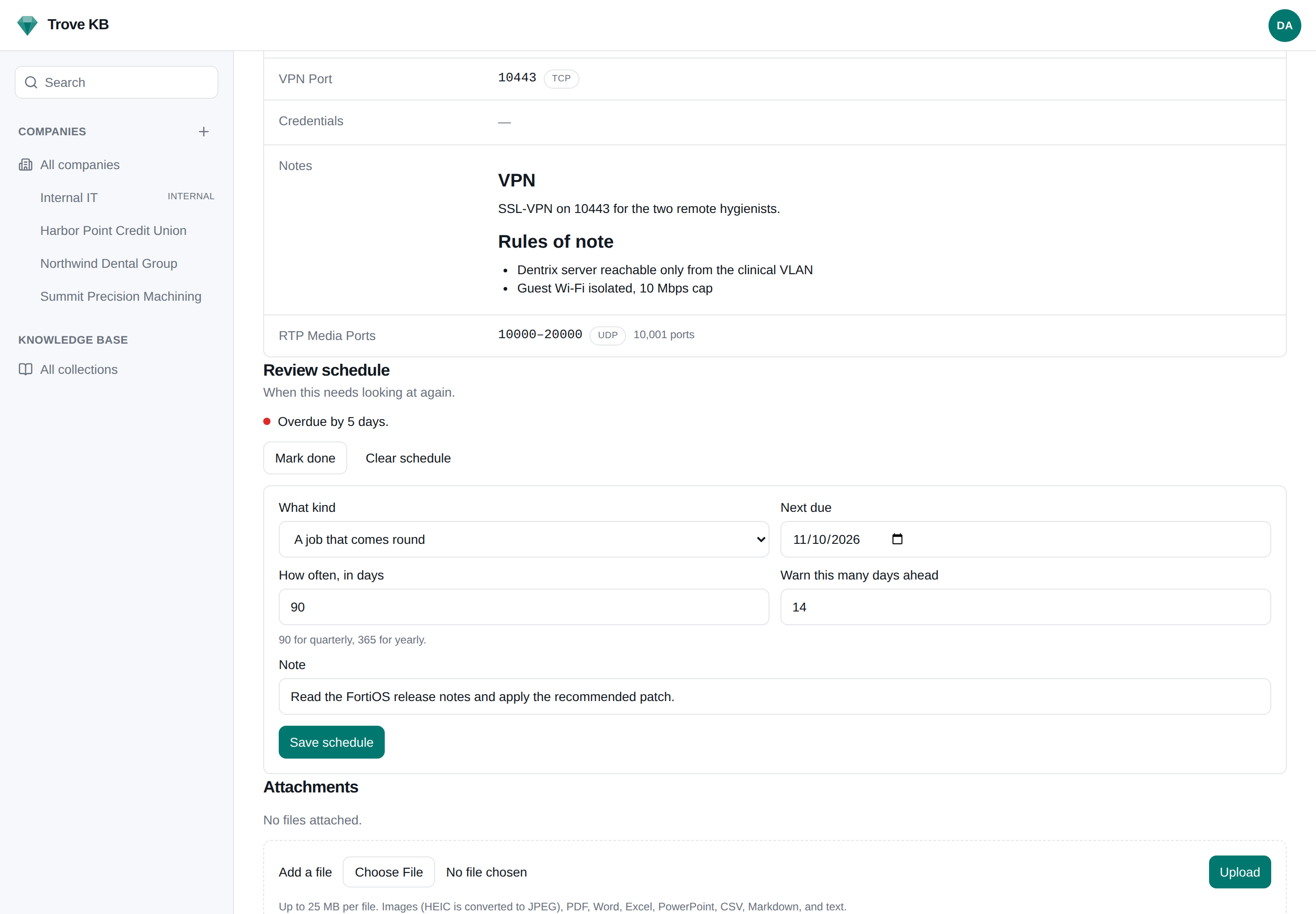
A UPS battery every two years, a firmware review each quarter, a backup restore test each month.
A date and an interval in days. Mark done and it rolls forward on its own cadence.
The schedule lives on the document, beside the fields it is about, with a note for whoever picks it up: the vendor's renewal page, the battery part number, what "reviewed" means here.
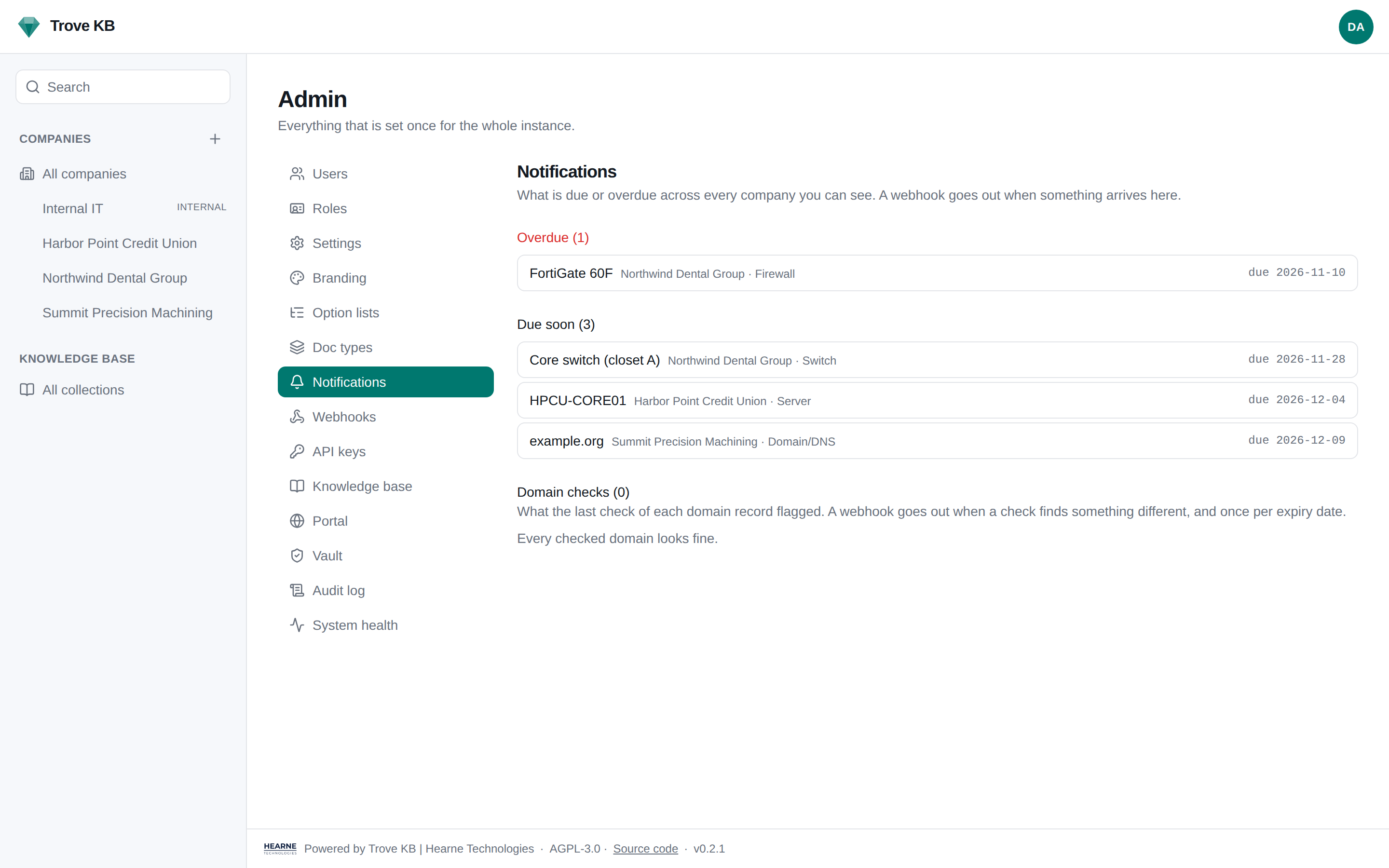
One list of what needs a person.
What is overdue and what is due soon, across every company you can see, each with a link to its document. Below it, what the last domain check of each record flagged: a certificate inside its notice, a registration close to expiry, mail posture that changed. Like everything else, it shows only the companies the reader is granted.
Turn it into a ticket, once.
When a document arrives on the list, a document.due webhook goes out, once per due date, signed with HMAC-SHA256 and retried like every other event. A recurring job marked done gets a new date, and a new announcement when that one comes round.
# document.due
{ "event": "document.due",
  "occurred_at": "2026-11-10T03:00:12Z",
  "data": {
    "id": "9b1c…",
    "title": "FortiGate 60F",
    "company_id": "32d4…",
    "kind": "maintenance",
    "due_on": "2026-11-10"
} }
Domain checks add domain.changed and domain.expiring to the same webhook stream.
Asks early. Doesn't nag.
Each schedule says how many days ahead to start asking, 30 unless you say otherwise. It turns due soon at the lead time and overdue the day after the date.
Marking a recurring job done steps forward from the date it was due, not from today. Done three days late, the next one is still on the original cadence. Done very late, it catches up in whole intervals rather than leaving a pile of missed dates behind.
Due dates are plain dates, not instants. Which timezone you read it in does not change whether something is overdue.
A doc type can carry a schedule for every document it makes: the first one so many days after a document is created, then how often. Stamp it into existing documents that have none of their own; nothing that already has one is touched.
Setting, clearing, and marking a schedule done each go in the audit log.
Stop keeping renewals in a spreadsheet.
Put the date on the document it belongs to, and hear about it before it arrives.