Ask your documentation. It answers. It never reveals.
Trove KB speaks the Model Context Protocol at /api/mcp. Point Claude Code, Claude Desktop, or any MCP client at it and an assistant answers from your documentation and knowledge base instead of guessing. It cannot see a password, and it cannot change a client's records.
The same keys as the REST API.
Streamable HTTP, authenticated by an API key with the read scope. Access is granted and revoked in one place, under Admin → API keys, and the key's companies apply to every tool.
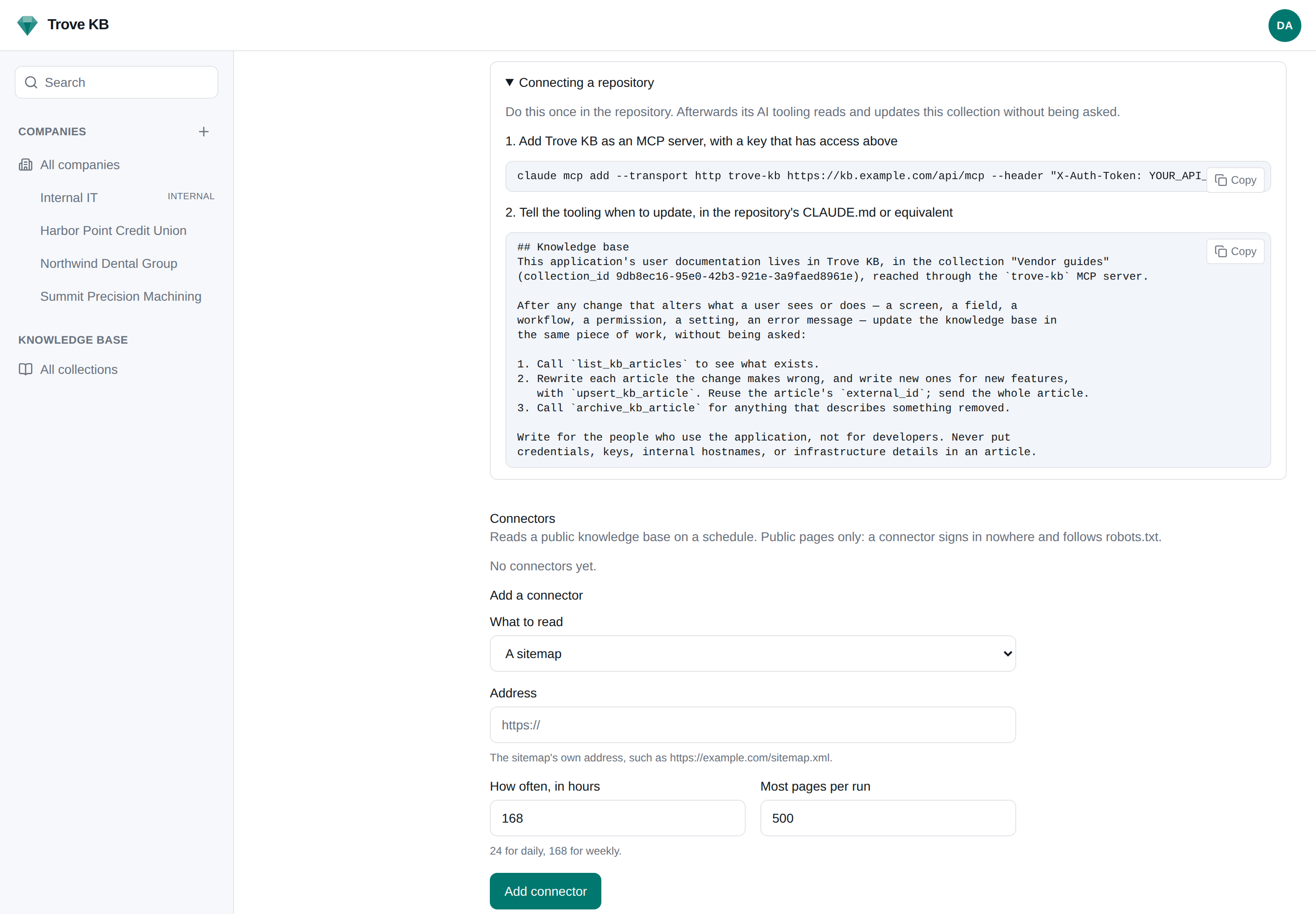
claude mcp add --transport http trove-kb \
  https://docs.example.com/api/mcp \
  --header "X-Auth-Token: $TROVE_KEY"
The key goes in X-Auth-Token, because an organization's custom MCP connector sends headers only from a fixed list that leaves out Authorization. A client already set up with Authorization: Bearer keeps working.
Behind Cloudflare Access? An Access login page is HTML, and an MCP client has nowhere to put it. Leave /api/* out of the policy, or scope it to a service token.
- "What is the firewall admin URL at Northwind's main clinic?"
- "Which VLAN are the CNC machines on, and can they reach the internet?"
- "Who is the registrar for example.org, and when does it expire?"
- "Find the vendor guide for setting up SSL-VPN on a FortiGate."
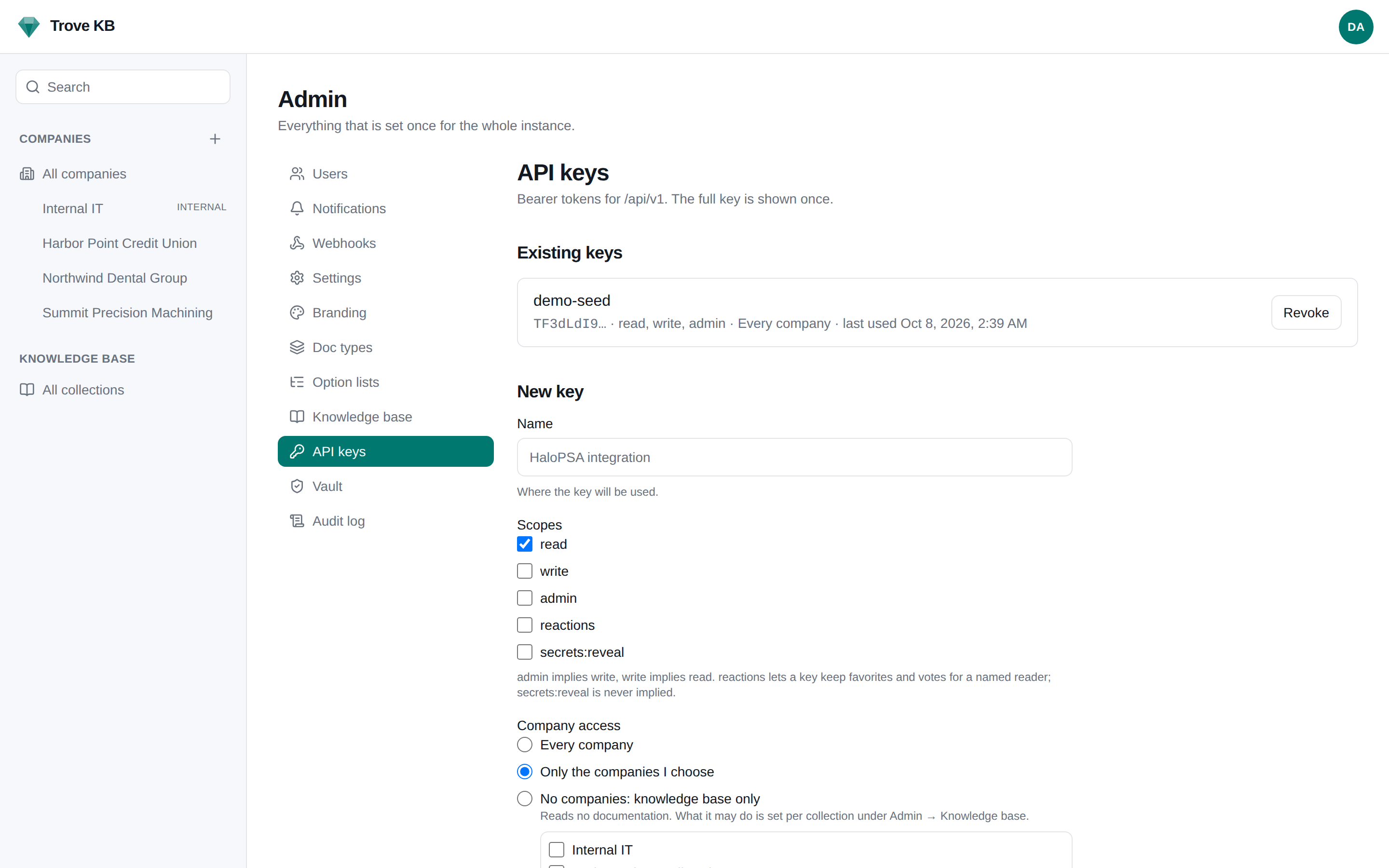
Read the docs. Read and write the knowledge base.
Client documentation, read-only
Full-text search across the documentation the key can see.
One document with its fields. Secret fields redacted.
The hierarchy: companies and their locations.
The templates, so the assistant knows what a Firewall or a Domain/DNS document holds.
Knowledge base
Knowledge base collections; with collection_id, its categories.
One result per article: the passage that matched, and the source_url it came from.
An article in chunks, following next_chunk for a long one. A runbook also carries its steps.
A collection's articles with their external_id and kind.
Writes an article under an external_id, replacing the one already there. kind: "runbook" makes a procedure. Only for a key granted write on that collection.
Takes an article out of the collection. Nothing is deleted. Same grant as upsert.
Connect a repository to its own collection.
Grant a key write on one collection and the AI tooling in a code repository can keep that product's documentation up to date as the code changes: upsert an article under a stable external id, mark a procedure as a runbook, archive what no longer applies. The collection's admin page gives you the command and the instructions to paste into the repository.
That write grant reaches that collection and nothing else. Client documentation stays out of reach.
Useful to an assistant. Useless to an attacker.
No credentials
Secret fields are stripped from every MCP response, and there is deliberately no reveal tool. Revealing a credential stays a decision a person makes in Trove KB, where it is audited.
No changes to client docs
Every documentation tool is read-only. The only writes are knowledge base articles, and only in a collection the key was granted write on.
The key's companies
A key that sees three companies gives the assistant three companies. Anything outside them answers not found, in search, in documents, and in knowledge base collections kept to named companies.
Per collection
A collection with MCP turned off is seen by no key. Write is a grant per collection, under Admin → Knowledge base → the collection → API key access.
Resolvd, the same vendor's issue tracker, drafts AI replies and resolutions from Trove KB articles and runbooks when a tech asks, with secrets never in the context. See API + Webhooks for how it is wired.
Give your assistant the docs, not the passwords.
The MCP guide is in the docs, next to the REST API it shares keys with.